Hi Guys,
Hopefully this post will end showing where the project currently stands.
From the previous post, the stochiometric fuel flow can be calculated as f(x) * VE if 14.7 is used for the Air/Fuel ratio. There is one more term that needs to be added. That term is the desired ER/Mixture. So, the desired result becomes f(x) x VE x ER.
So, we need VE x ER. I have experimented with the test engine enough to know it has a VE of about 0.7. Most POHs recommend that we adjust mixture for max power. Captain Google says that occurs at an ER of 1.176. So, if we combine VE x ER into a single term, we get 0.82 as a rough guess. I have set the initial “guess” stored in the VeeCU to 1.0 to help ensure it runs on the rich side prior to tuning/calibration.
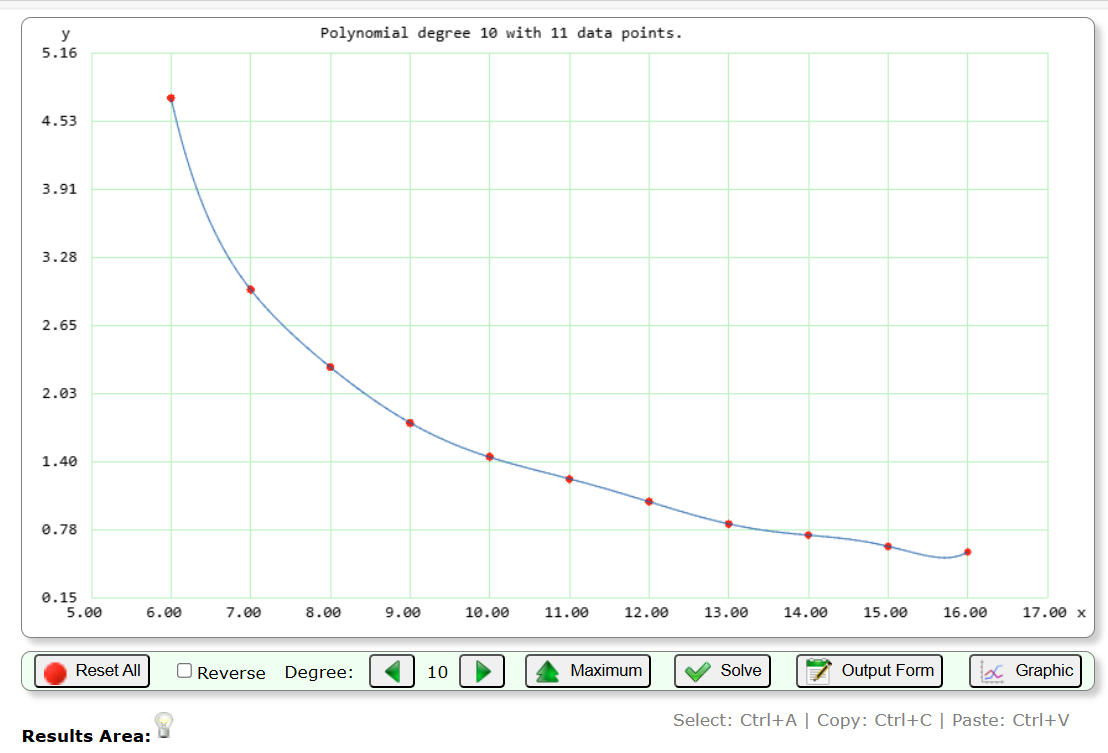
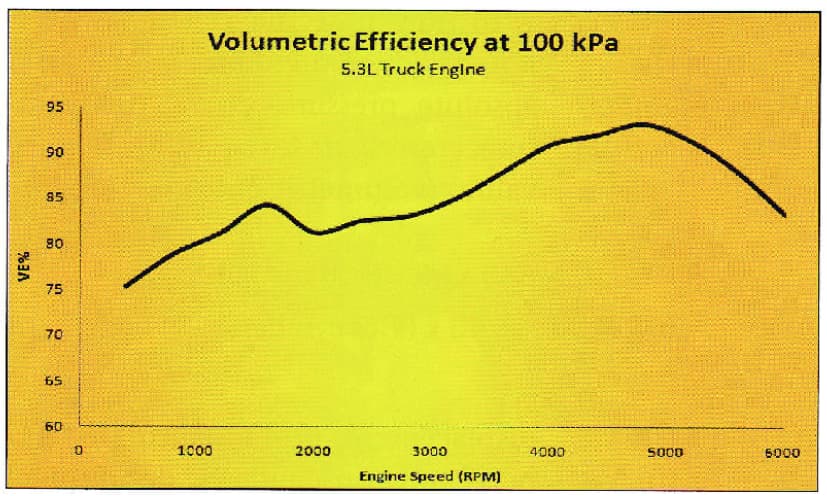
I have also experimented enough that I know, with our short separate intakes, the cylinder-to-cylinder fuel transfer varies with engine RPM. It is also a fact that VE varies with RPM. Here is an example from my favorite EFI author.
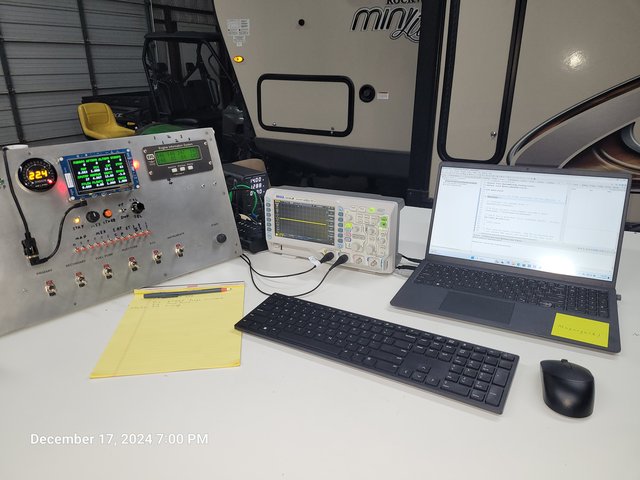
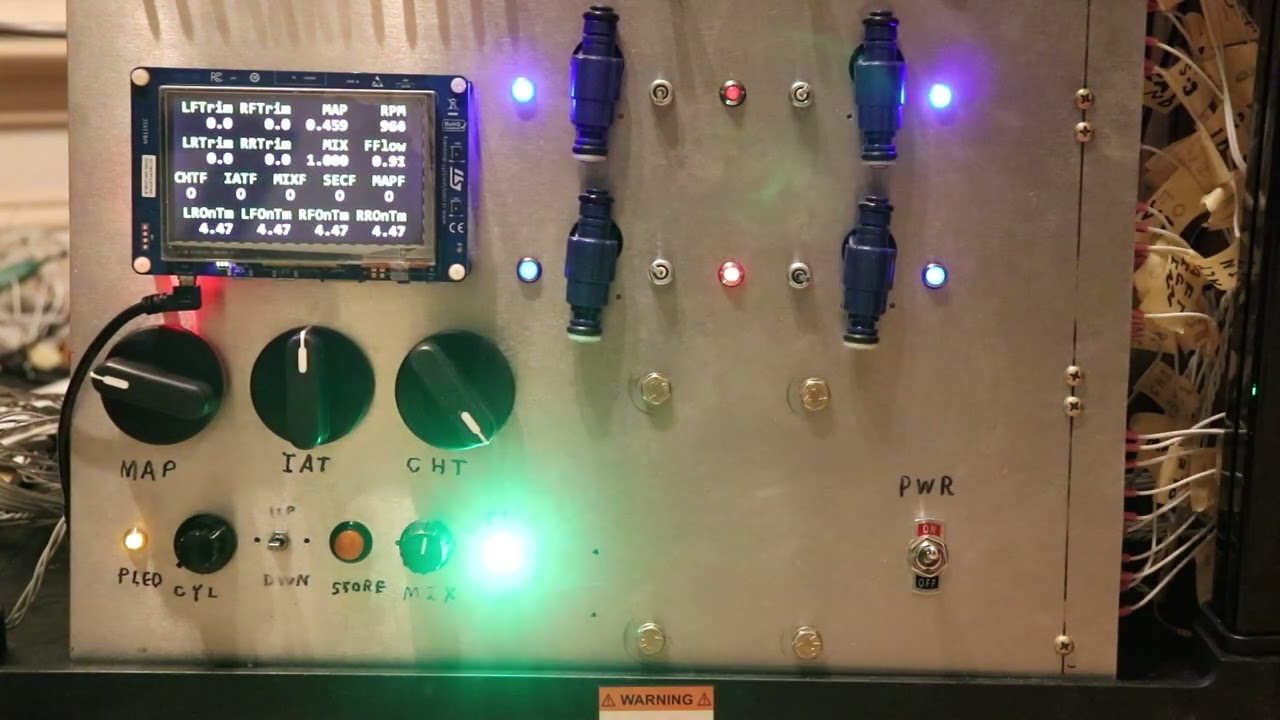
Here is a pic of the VeeCU controls. Ignore all the red switches. Those were used to test fault tolerance. Designing a nice little sub-panel for the controls is a project in waiting.
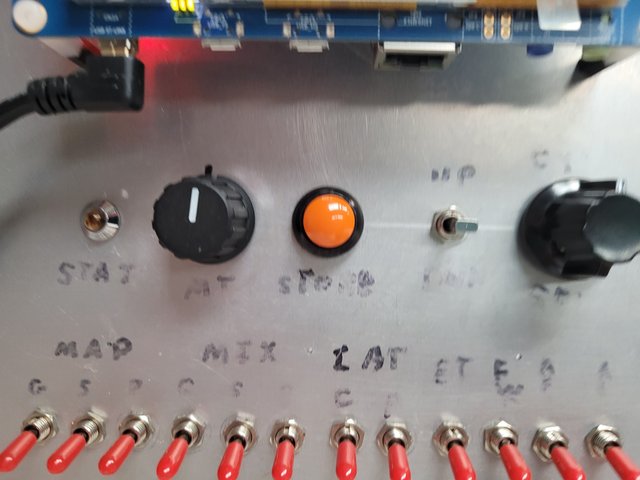
The Status Led is used to communicate status to the user.
The Mixture Pot is used to control mixture.
The Store button is used to store data.
The Up/Down switch is used to balance fuel between cylinders.
The Select rotary switch is used to select which cylinders are being balanced.
These controls are the only presence the VeeCU has in the cockpit. All operations of the VeeCU are performed with these controls while referencing an appropriate engine monitor.
How is the Engine Tuned?
Enter tune/calibration mode by rotating the Select rotary all the way left, hold the store button, and apply power to the VeeCU. The VeeCU will acknowledge it is in tune mode via the Status Led.
The aircraft is tied down and run with the default (VE x ER) value. There is a series of tune points at various RPMs. The cylinder EGTs are balanced, and the mixture is adjusted for max power, at each of these points. Once that is done the store button is pressed. When the store button is pressed the trim numbers are stored and the (VE x ER) term for that RPM is updated such that on subsequent engine runs the engine will be fueled and balanced “just like that”, at that RPM, with the mixture knob at the 12 o’clock position. The trim numbers and updated (VE x ER) are interpolated against RPM during normal engine operation.
BTW, I’ve experimented enough to know that cylinder-to-cylinder fuel transfer is not sensitive to mixture. If the engine is balanced lean, it will be balanced rich.
How do you balance the cylinder-to-cylinder fueling?
By moving the fuel around until the EGTs match. Imagine a pic of the top of the engine, with the prop on top, is in front of you. Select the “side” of the engine you want to balance by setting the Select rotary switch one position off center to the desired side. If you want to move fuel to the rear cylinder from the front cylinder, click the down switch. If you want to move fuel to the front cylinder from the rear cylinder, click the up switch. That is to say, click on the cylinder you want to move the fuel to.
You can also move fuel from side to side by moving the rotary switch all the way to the right or left and pressing the up switch to move fuel to that bank from the other bank or pressing the down switch to move fuel from the selected bank to the other bank.
Sounds complicated, but it “feels” quite natural.
How do you tune for maximum power?
With a fixed pitch prob, by adjusting the mixture until RPM peaks. Peak RPM means peak power. Simply lean until the RPM peaks, continue until you see a slight drop, and then back off just a little.
Consider this graph of a how typical engine operates.
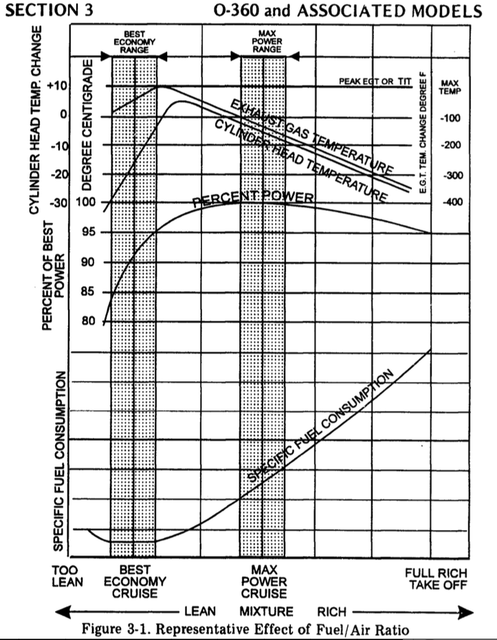
When you are adjusted for max power, you might have back off the throttle a bit to get back down to the “tune point”.
So that’s it. Balance the EGTs, adjust the mixture for max power, press the Store button and move on to the next “tune point”. That’s how you tune with the VeeCU.
In normal operation the trim switches are still active to allow for minor adjustments in flight.
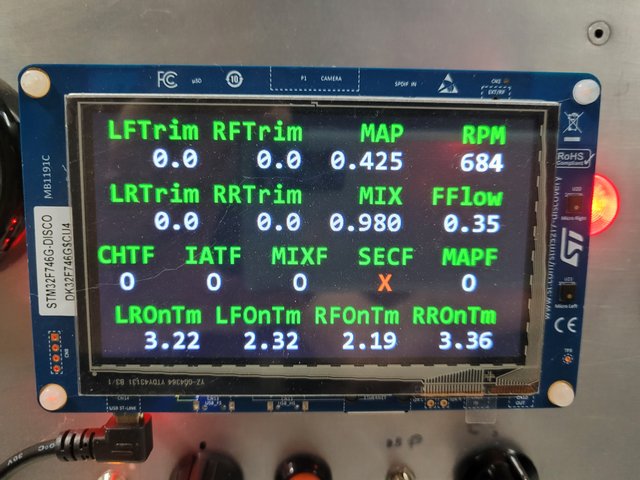
I’ll end this post with the following pic. I want to emphasize that the display on the left is not part of the system. It was implemented as an aid to me during development.
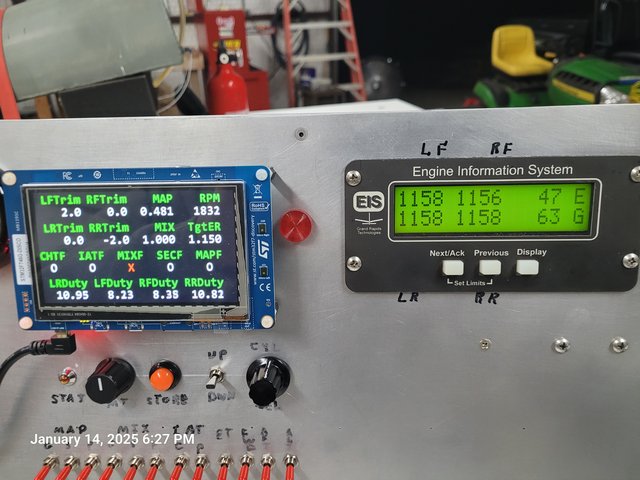
This pic was taken while I was testing the operation of the trim switches in normal mode after the engine had been tuned. I just moved the throttle to a random setting, that is to an RPM that is not a “tune point”, to verify/validate trim switch operation in normal mode. The normal mode trims are displayed. In this example I moved 2.0% of the fuel from the right rear cylinder to the left front cylinder to achieve perfect EGT balance. I’m sure it was well balanced before, but I was just testing. If you look at the duty cycles you can see the sum results of the “main tune trims” + the “run time trims”. It’s a lot more than two percent. More like 15%.
Also note that the mixture knob is always available to adjust mixture as desired.
One more post and I’m sure I will have gotten to the current state of the project.
More to Come ….
Wes