Most of the few messages I prepare vanish into thing air. Anyone have an idea where they could be going. I’m at a loss except to give up trying.
Art,Sonex taildragger #95, Jabiru 3300 #261
Most of the few messages I prepare vanish into thing air. Anyone have an idea where they could be going. I’m at a loss except to give up trying.
Art,Sonex taildragger #95, Jabiru 3300 #261
This one worked. Do you mean forum posts or PMs? They are both working for me.
Thanks for your response, Bryan. The problem may be that I’m unable to determine whether I’m looking at a pm or a forum post. How does one differ from the other? Same when I send a message/post……I have no idea where it’s going. Spent a half hour this morning preparing a message regarding the aluminum wingtip installation and don’t see that it’s been posted. Never had this issue with other groups that I have been or still are a member of. As you might imagine, frustrating.
Art
Hi Art - I’m not exactly sure what you’re trying to do, whether reply to someone or create a brand new post, but I’ve put a couple of screenshots in this response that will hopefully help. And my apologies if I’ve assumed your issue to be something it’s not.
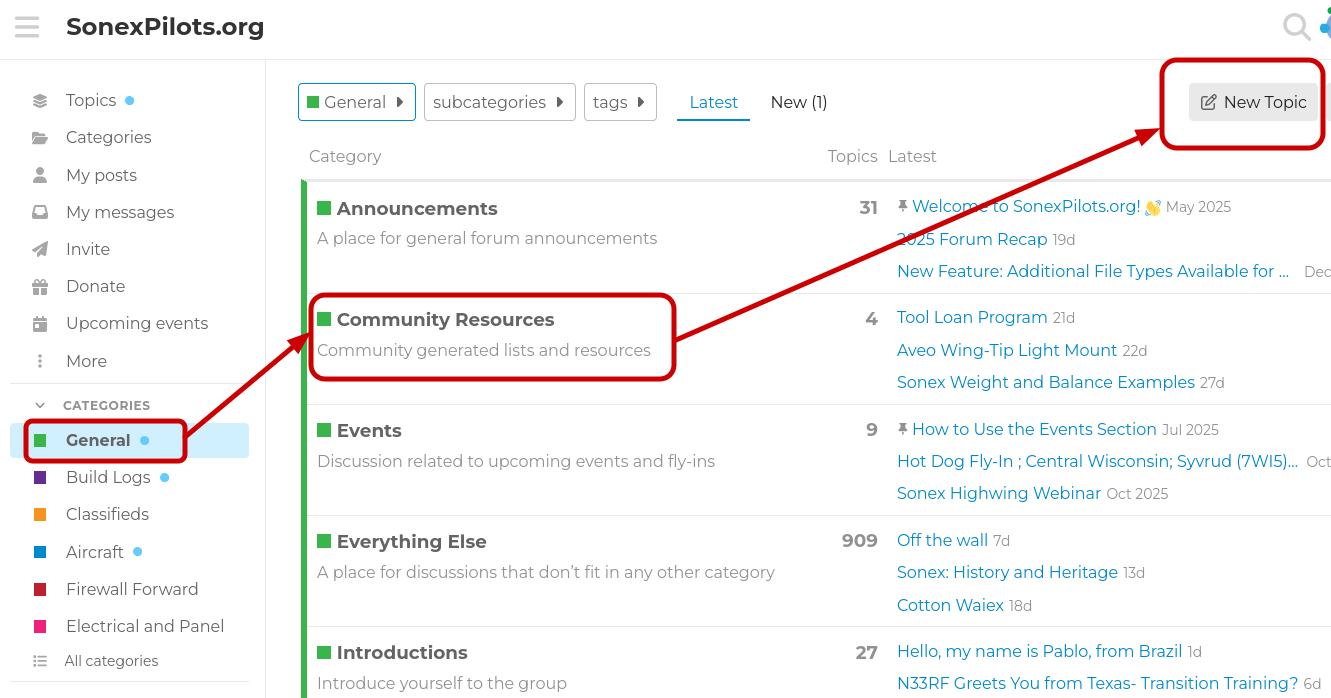
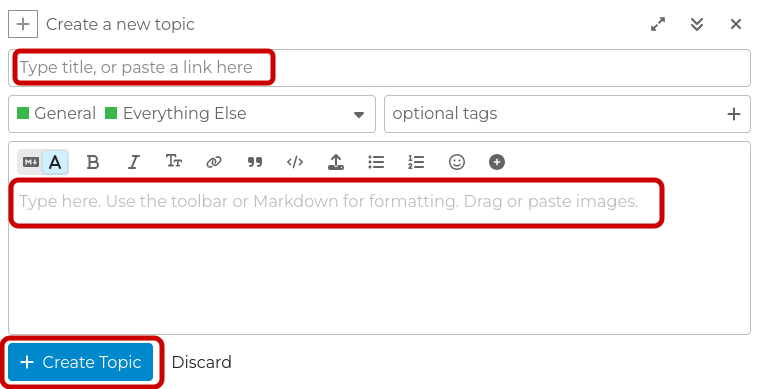
Creating a new post - Pick out a category on the menu on the left hand side, then select the subcategory, then select New Topic (picture below labeled “NewTopicStart” makes this clearer). Then you’ll get a message box with a place to write and a button to post it. See pic NewTopicPost for that example.
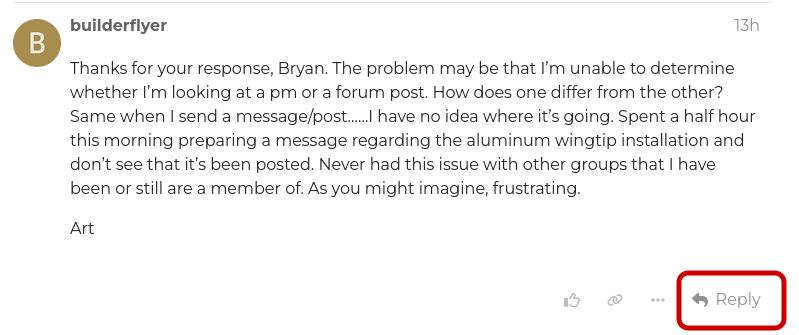
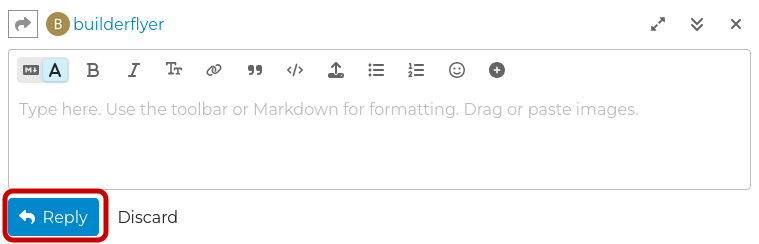
Replying to someone – You’re already doing that here but I’ve included some pictures anyway.
One tip that I use: If I’m writing a huge post then I will actually write it in a separate document and then just copy and paste it into the message window so if something goes awry I don’t lose all of my work.
And I’m very interested in your wingtip info so I hope you don’t give up!
Michael
New Topic Start
New Topic Post
Reply to message
Post Reply