How To Create an Event
In order to create an event so it will show up on the forums calendar, follow these steps:
- Start creating a new topic or edit the first post of an existing topic (make sure the events category is selected)
- Click the plus icon in the toolbar and select “Create Event” from the dropdown menu
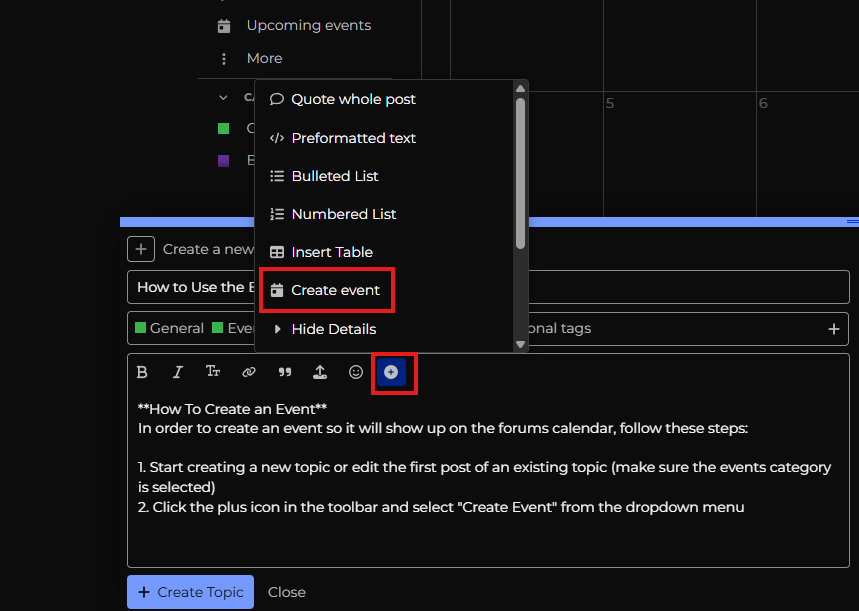
- Follow the prompts in the popup to create your events.
A few notes:
- Try to include the airport identifier in the event name so people can easily see where your event is taking place
- If you’d like to people to indicate whether they are going or not, make the event “Public” and interest can be tracked within the forum. If you do not want to track this, make the event “Standalone”