For those that are interested in adjusting your email preferences when it comes to activity summary emails, here is a step-by-step guide on how to do so
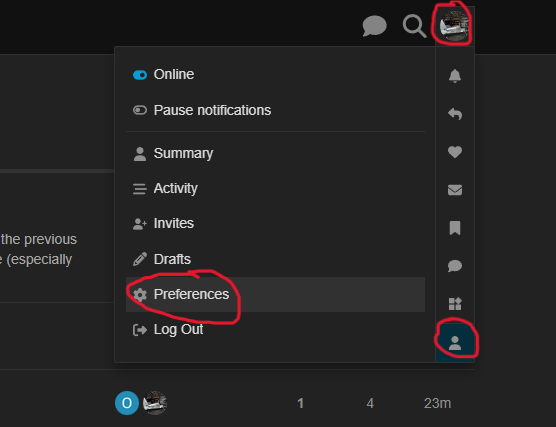
- On the top right of the page, click on your profile picture (or icon with a letter in it), then click on the person icon at the bottom right corner of the popup box, then click on the “preferences” link
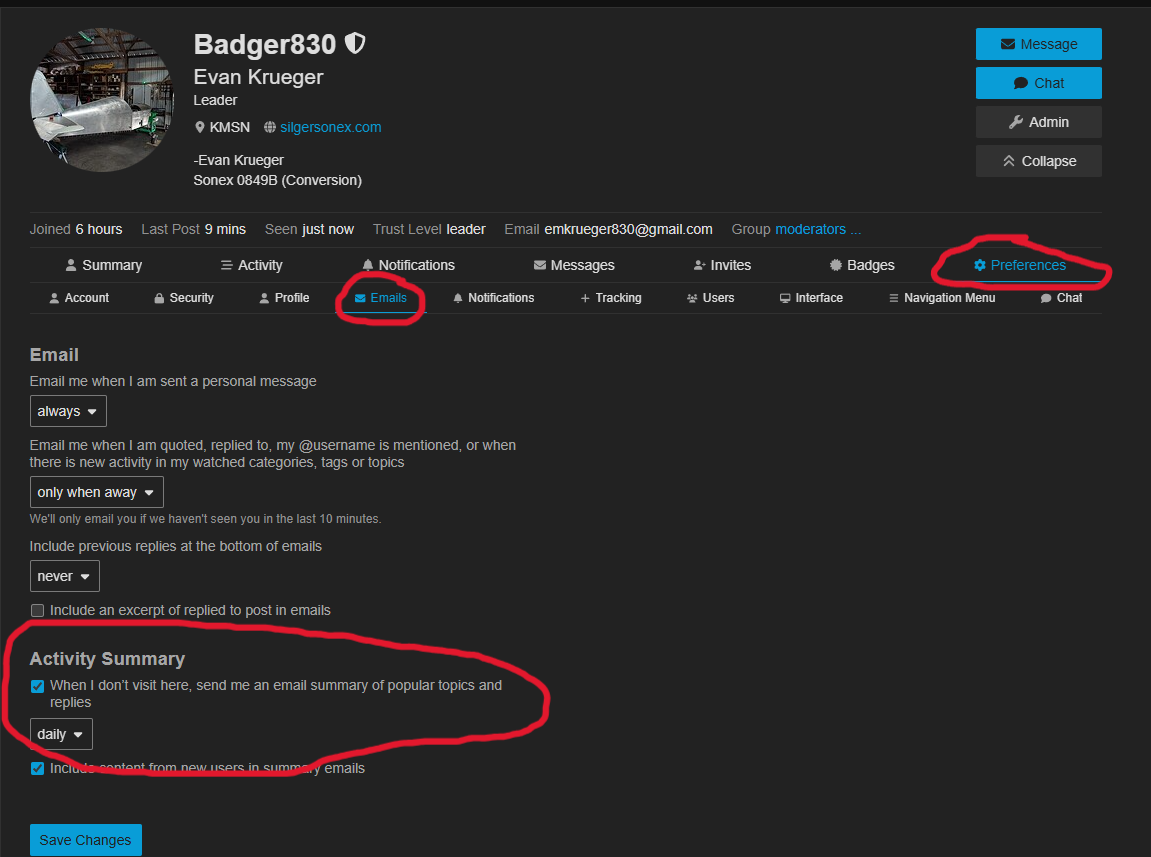
- This will take you to your settings page. On this page, click on “preferences”, then “emails”. Under the activity summary section, you can adjust how often the forum will send you summary of activities that have taken place since your last visit
As always, if you have any comments or questions, please feel free to reach out to me. Thanks!